Showing posts with label math. Show all posts

Friday, July 13, 2012

{Crew Review} Professor B

Photobucket

Math. I certainly do not have a good relationship with numbers. It dates all the way back to fourth grade and the teacher who took almost an instant dislike to me. I had been the quintessential "teacher's pet" up until that point. Math was hard for me. And it still is in some regards. I definitely do not enjoy using it or teaching it. Sadly, this sometimes gets passed along to my boys.

Professor B gets that! Unlike most online learning programs, Professor B is designed to complete three years of math learning in only one year. Professor B was begun by Everard Barrett back in the 1970s in New York when, while using his teaching methodology now found in Professor B, he enabled fifth and sixth grades to outperform ninth graders on a standardized test for Algebra. 

   Photobucket

There are three levels to be found in Professor B, but remember each level covers three years of math in just one year.
  • Level I for Pre-K to 2nd grade (or remediation of older students) covers: Introduction to Addition/Subtraction Facts, Counting to 100, Lower Addition/Subtraction, Higher Addition/Subtraction, Place Value, Fractional Parts & Order, Time, & Money
  • Level II for 3rd-5th grade (or remediation of older students) covers: Multiplication/Division Facts, Problem Solving, Introduction to Fractions, Fractional Equivalence, and Addition/Subtraction of Fractions
  • Level III for 6th-8th grade (or remediation of older students) covers: Multiplication/Division of Fractions, Decimals and Percents
Professor B has a placement test (bottom right of the screen)  if you are unsure which level your child would need.  Pricing for Professor B is as follows:
  • Monthly 1 child = $20/month
  • Monthly 2 children = $20/month for the first child & $15/month for the 2nd child (must be purchased at the same time)
  • Monthly 3 children = $20/month for the first child, $15/month for the 2nd child & $10/month for the third child  (must be purchased at the same time)
  • Yearly access to any one level = $100 for 36 months of access
If you are interested in trying it out for free, Professor B is offering a 30 Day free trial. You must call them to receive it. The number to call is 678-765-6655.

I used Levels 1 & 2 with my boys. I have an emerging 3rd grade and two older children who need help with their multiplication and division facts. The program is designed specifically to be used with the parent and child together. Since I'm teaching three students at different levels, this was a bit hard for me to do. If I am using an online product, I specifically chose that method in order to free up my time to work with one of my other boys.

I like this concept, but I'm not sure the online method for Professor B was the best fit for us. However, they also offer workbooks that teach the same concepts. I'm actually considering purchasing Level II to use with my middle son for this fall.

Be sure to head over to the Schoolhouse Review Crew blog to see what my fellow Crew members had to say about Professor B.


Photobucket


Disclaimer: I was not paid for this review.  All opinions shared are my own. Schoolhouse Review Crewmembers  are given the product free of charge in exchange for our unbiased opinion of the product.   

Thursday, June 21, 2012

{Crew Review} IXL Math

Photobucket
Over the last few years I have shared my struggle with math and, thus my children's struggle with math. It's hard to teach a subject one is not comfortable with. However,  it's important to learn the facts, the building blocks, or the basics if you will, of math in order to understand it. Then build upon that to become comfortable with how to manipulate the numbers. People who are comfortable with numbers will tell you it really is that easy. I've yet to see that in my own life. Although, now that we have been homeschooling for over ten years, it is becoming a bit easier to maneuver the "math-world." After all, I have had a lot of practice teaching it to date.

Photobucket

IXL is an online math learning site for children in grades pre-kindergarten all the way up through Algebra. The site follows state standards. In fact, there is even a link on the site in order for you to look up the standards for your state so you can be sure your child matches up, if that is your desire.

Photobucket

It was easy to implement IXL in to our daily routine. In fact, as Schoolhouse Crew Review members, I was given a one year subscription for up to three students. This, of course, worked perfectly for me since I have the three boys. Setting up the account was painless and we were using it within minutes.

I really enjoy the fact that I can log on myself and check on the boys progress. IXL has detailed reports that allow me to check to see how the boys are doing. It breaks it down and tells me not only how many minutes total they have been working in IXL, but also the skills they have mastered or even those they need to improve upon.

IXL Family Reports

Another fantastic feature for me, is that the lower levels preK through 1st grade, also has an audio feature. If the child clicks on the speaker, the problem is read to them. That makes it super easy to use for younger kids. Since my youngest isn't a fluent reader yet and is still mastering some of the first grade skills, this was a very nice feature to have.

IXL Awards and Games

IXL offers two subscription options - one for parents and one for schools. You can check out the infographic below to see what the cost would be to join for a month or a year. You can even hop over to the IXL website and try it out. They allow you to do 20 problems a day for free. This is a great way to see how your child will like it before you join.

IXL Fees

As I mentioned above, math is not a favorite subject around here. However, none of my boys balked at using IXL math. While I can't say they enjoyed it, it was math after all, I do know they did not dislike it. A bit of enjoyment may have crept in, but they wouldn't share that with me. I love how I would get weekly emails sharing how much they had been on the program. It made me aware that they all needed to increase their time on the website! I was also notified when they won awards and completed a certain number of  problems. I found the communication very helpful as it made it easy to hold them accountable for their assignnment. This is one program they will be continuing to use.

Be sure to head over to the Schoolhouse Review Crew blog to see what other Crew members had to say about IXL Math.


Photobucket


Disclaimer: I was not paid for this review.  All opinions shared are my own. Schoolhouse Review Crewmembers  are given the product free of charge in exchange for our unbiased opinion of the product.   

Monday, May 21, 2012

{TOS Crew Review} CapJaxMathFax

Photobucket 

Learning math facts well is the key to learning math. But, as most kids will tell you, boring flashcard drills are well, boring! It's hard to remember the facts if you don't memorize them and it's hard to memorize them if you don't drill them over and over again.

Jack Fretwell heads up Starboard Training Systems - the makers of CapJaxMathFax (say that three times fast, I dare you!). Mr. Fretwell has a Masters degree in Educational Technology and has spent over 30 years working in education and technology.

Photobucket

The goal of CapJaxMathFax is to "Put some 'happy' in your math!" Learning math facts, as I mentioned earlier, can be hard for kids. CapJaxMathFax makes it easy on both the parent and the child. Parents (and teachers) no longer have to spend time drilling students and coming up with tests and drill sheets. Students have fun working their way through each level. As they progress the program challenges them more and more. Along the way, they even earn merit badges.

Photobucket

As a parent, I do not have a need to stand over and watch my children to see if they are making progress. I can assign them to work on various math operations (addition, subtraction, multiplication, and division) are available and tell my children which to practice and at what level. It is recommended that the student start at a lower level and work up to the harder ones in order to gain confidence. This is already something I do often with new programs. This also allows my boys to figure out how the program works and eliminates the frustration of figuring out a new program while being timed.

Photobucket

I can also sign in as the student and check on their progress via a graph or a summary. This shows me how many facts they have done, how well they are doing, and at what level they are currently. 

Math is not a favorite subject in my house so getting honest feedback from my boys is tough since they have that bias to begin with. My youngest son, age 8, thought this program was a lot of fun. He loved "play for rating" and tried to be sure to beat the time each time he worked. Added to that being able to play on the computer and he really liked this program. My two older boys said, "It was alright," but considering math isn't their favorite subject, this is a positive view of the program.

I appreciate how easy and simple it is. There are not a lot of fancy graphics involved. It's simple math drill with immediate feedback. I like that.

CapJaxMathFax can be purchased as a download for $29.95. If you prefer, you can purchase a CD in addition to the download (but not separately) for an additional $5.95. It comes in a MAC version as well as PC. If you aren't sure CapJaxMathFax would be a good fit for your student, you can download a free evaluation to see exactly how the program works. CapJaxMathFaxts is appropriate for ages 4-5 and up. If your child has begun learning basic addition, than they could use this program.

Photobucket

Be sure to head over to the TOS Homeschool Crew blog to see what other Crew members had to say about this product.

Photobucket


Disclaimer: I was not paid for this review.  All opinions shared are my own. TOS Crew Members are given the product free of charge in exchange for our unbiased opinion of the product. 


Sunday, April 15, 2012

{TOS Crew Review} AIMS Educational Foundation

Photobucket

Earlier this year TOS Crew members reviewed various books for AIMS Educational Foundation. AIMS is an acronym for "Activities Integrating Math and Science." The AIMS Educational Foundation was begun in 1981 with a grant from the National Science Foundation. The purpose was to create hands-on materials to help teach math and science.

Photobucket

The book I received was called Fabulous Fractions ($21.95) and worked to help make the concept of fractions, which can be difficult for some students to understand, fun and easy to learn. Included with a copy of the book, was also a set of two of the "fractional transparencies." ($14.95 for a set of five)

There are 22 hands-on activities included in the 120 pages of the book. The book is geared for children in grades 3-5. You can see a sample of the book on the website that includes the table of contents as well as the first few pages of the book.

There are definitely things I like and dislike about the book. I really like how it's all hands-on activities. It takes math and makes it concrete. We already use a math program that uses manipulatives and I find it makes it easier for my boys to learn that way. Being able to have a concrete way to learn an abstract idea, helps to cement the learning.

We are just starting to get in to fractions so this was a good fit for us. It made a subject that is not a favorite of my boys a bit easier to bear. Anything that makes learning math fun, is a good thing in my book.

However, this book is geared for a classroom environment. It's sometimes difficult to translate that to a homeschool with only one or two students using the book. However, I do think this would be a great book to use in a homeschool co-op setting.

Be sure to head over to the TOS Homeschool Crew blog to see what other crew members are saying about the books they received from AIMS Educational Foundation.

Photobucket


Disclaimer: I was not paid for this review.  All opinions shared are my own. TOS Crew Members are given the product free of charge in exchange for our unbiased opinion of the product.

Thursday, February 9, 2012

{TOS Crew Review} Math Rider

Photobucket 

Mastering math facts is the key to mastering math itself. However, learning math facts can be tedious and boring.  Just ask my kids. This is one reason I was very happy to try out Math Rider - an intelligent math game.

Photobucket 

Math Rider was created by a father who wanted to help his own children learn their math facts. The game is simple yet creative enough to not only challenge the child as they learn but also make it fun. Each child is on a quest and they must ride their horse, Shadow, through various areas in the Land of Ray. As they ride, hurdles appear that they must jump over. In order to complete a jump, they must answer the math question correctly. The game tracks the ones they get wrong and has those problems show up more until the child has them mastered.

Photobucket 
Math Rider is designed for children ages 6-12 (grades 2-6). Each game purchase allows for up to eight children to be registered and each license also allows for the game to be installed on three different computers. Normally Math Rider sells for $47, but it is currently on sale - until February 15, 2012 - for $37.

Photobucket

What I really love is this screen shot here. For each of my boys, it shows me the level of mastery they have for each operation. It also shows me where they were before they started using Math Rider and after. For instance, my middle son has improved his addition facts by 42% since he started using Math Rider. The statistics screen also lists the most challenging problems the child has encountered. It really is a great overview of what they are learning.

I had all three of my children try this out. My youngest son wasn't quite ready for it and found it frustrating. He needs to get a bit more math under his belt first. My oldest son at 15 years old was just a tad too old for it, but did show a slight improvement and could probably benefit from using it more. However, my middle son, age 10, loved Math Rider. He used it quite a bit and will continue using it I'm sure. He thought it was a fun way to practice his math facts. I loved the fact that he was practicing them without complaint and making progress. Overall I thought this was an excellent product.

If you think your child might benefit from this product, head over to their website. You can try it out for free for seven days.

Be sure to head over to the TOS Homeschool Crew blog to see what the other Crew members had to say about Math Rider.

Photobucket 


Disclaimer: I was not paid for this review. All opinions shared are my own. TOS Crew Members are given the product free of charge in exchange for our unbiased opinion of the product.  

Tuesday, December 13, 2011

{TOS Crew Review} I See Cards: Fractazmic

Photobucket

Anyone who knows me realizes that math is not my strongest skill. It's been the hardest subject I've had to teach in our homeschool and it just keeps getting harder. Thankfully I See Cards has helped to make it a bit easier and a bit more fun.

Fractazmic ($6.95) is a relatively simple card game that has been designed to help children specifically in grades 1-8 learn fractions and measurements.  The deck comes with 60 cards divided in to three suits in three colors. The blue suit is the "twelfths," the green suit is the "tenths" and the red suit is the "sixteenths."  The goal of the game is to make a hand that equals "1." The player at the end with the most "hands" wins the game.

Photobucket

Sounds simple right? The concept is definitely simple but as I mentioned, math is not my strong suit. Um, no pun intended. I struggled a bit with the game simply because it's been, well, years, since I've had to deal with fractions at this level. It was a challenging game for us here at The Berry Patch, but it is one I plan on using again and again in order to help my boys master fractions. I do think it is a unique way to learn fractions. For the price, you really can't find a less inexpensive way to have fun with fractions.

Photobucket

I really appreciate how much support I See Cards gives to their customers. For the visual learners, you can watch videos at YouTube on how to play two different versions of Fractazmic - Rummy or Trap. You can also download a 30-page book that shares various other methods of play for all the I See Cards.

Be sure to head over to the TOS Homeschool Crew blog to see what my other Crew members had to say about the game.

Photobucket


Disclaimer: I was not paid for this review.  All opinions shared are my own. TOS Crew Members are given the product free of charge in exchange for our unbiased opinion of the product.

Wednesday, May 18, 2011

TOS Crew Review: Mad Dog Math

Photobucket

Mad Dog Math  is a fun math drill program developed by Julie Kotoff who has been in education for 30 years. She first developed this program to be used in her third grade classroom to help master multiplication and division facts. She soon added addition and subtraction as well.  

In order to learn math easily and effectively a student must have mastery of their math facts. This can sometimes be a hard thing to do. I know. I have three boys and my two oldest are still struggling somewhat with learning these pesky facts. However, Mad Dog Math makes it fun and easy.


Mad Dog Math helps a child gain confidence while learning their facts. It can be used with any math program and it's a great way to help make math drill a little more fun. While Mad Dog Math is geared towards K-5 students, it can be used for higher grades especially if there is a need to reinforce math fact memorization.

Photobucket

As a member of the TOS Homeschool Crew I was given a chance to try out the Mad Dog Math - At Home 2.7 version of the program. The original Mad Dog Math program was pen and paper drills. This is a PC based program that allows your student to practice their drills as well as track their progress. Either a 32-bit or 64-bit version can be purchased. They even help you figure out which version you need for your computer.

There are four levels included:

  • Level 1 addition/subtraction  focusing on 0-18 families
  • Level 2 addition/subtraction more focus on 10 – 18  families
  • Level 3 Multiplication and Division
  • Challenge Level mixed operations drills


Mad Dog Math

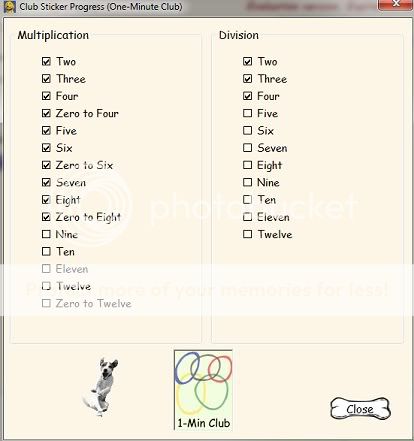
I really like how I can check on the progress of the boys as well. It's super simple to log in, just type your name (I love that we didn't have to remember passwords!). Then click on the dog bone that says "progress" and it will show what facts have been mastered. A child isn't moved to the next set of facts until mastery (missing two or less) is shown on the current set.


This felt like a great "no frills" way of learning math facts. The fact that it's called Mad Dog Math certainly had some appeal to my boys as well. None of them balked at using it and (gasp!) some actually asked to use it! This is huge as math is not a favorite subject around here. I could definitely see us continue to use this program.

You can purchase a one year license for Mad Dog Math for $19.99, a two year license for $29.99 or a perpetual license for $39.99. This is a "download-to-computer" program. No actual CD would be mailed to you.

You can try it out for free by heading to their download page and scrolling to the bottom. This will let you try the first fact family in each level so you can get a feel for how the program works.

Be sure to head over to the TOS Homeschool Crew blog to see what other Crew members had to say about Mad Dog Math. 


Disclaimer: I was not paid for this review.  All opinions shared are my own. TOS Crew Members are given the product free of charge in exchange for our unbiased opinion of the product.

Wednesday, February 2, 2011

What exactly is "Pi" anyway?

Math has never been and probably never will be my strong suit. I still blame my fourth grade teacher for this issue. I've managed to get through life to this point without learning any higher math. Algebra 1 was struggle enough. Thankfully I married an engineer who thinks math is child's play. I'm counting on him to help the boys when it's gets beyond my pathetic skills - I'm almost there.

This neat info-graphic though shows what pi really is and it's really neat! Even for someone like me who has limited interest in "neat math." (Click on it to see it larger.)


Disclaimer: While I may never think math is "neat," I do think this graphic is pretty cool. I was reimbursed for placing it on my blog. 

Monday, January 31, 2011

Review: City Creek Press: Times Alive

City Creek Press

I remember sitting in my third grade teacher's classroom learning my times tables. She had paper ladders on the wall and we "climbed" them as we went through memorizing our facts. Being a competitive person - yes, even in third grade - I tried very hard to get to the top fast! 

Do I remember those facts all these years later? Most but not all. Memorizing math facts is a necessity of life but one that doesn't have to be boring. 

That's one reason I really like Times Alive put out by City Creek Press. Check out this video....


Check out even more videos on City Creek Press' YouTube channel.

Members of the TOS Homeschool Crew were given a chance to use the Times Alive program downloaded directly to the computer. It comes in a MAC or PC version (be sure to chose the correct one when purchasing) for $44.95. You can also chose to buy it as a CD-ROM instead for $48.95. Either way the program makes learning boring math facts fun and memorable!

Times Table is geared towards children in grades two and up. My middle son has not quite made it to his multiplication facts just yet and after trying the program once, felt pretty lost. That meant his older brother had to step in and try it out for me. He definitely could use help on learning his multiplication facts.

While he did the lessons without issue, he did say when it was all said and done that he felt it to be a bit babyish in its presentation. However, he is remembering his math facts much better. In fact, I learned something about the five tables that I never knew! It has to do with the time on the clock. While I don't have trouble remembering my five facts, I thought this was a neat way of doing so!


The above screen shot does show all the buttons and how the program works. I really liked the "student progress report" button. I could click this while logged in to my son's account (as simple as typing in his name) and view how he was doing. The report would tell me where he was struggling, if he had completed the lesson, and how he did on each one as well. This is a great feature if you want or need something to include in a year end assessment portfolio.

I thought the rhymes and stories were cute and they definitely got the point across. I'm not sure I will ever forget that 6x6 is 36. Those "thirsty-sixes" will always be in my head now. This is a math program we'll be using over the next few years with the other boys. I felt it was a fun way to drill math facts and help with memorizing them.

Be sure to head over to the TOS Homeschool Crew blog to see what other Crew members had to say about City Creek Press and the Times Alive product. And if you are still not sure, click HERE to go try out a demo for yourself.


Disclaimer: I was not paid for this review.  All opinions shared are my own. TOS Crew Members are given the product free of charge in exchange for our unbiased opinion of the product.

Friday, January 28, 2011

TOS Crew Review: TenMarks

TenMarks - Online Math Program

One thing I have always done with my boys when working on math is making sure they knew the right answer. If they did any of their problems wrong, they have to redo them. I'm striving for mastery not 99% but total mastery of the subject. Here is where TenMarks comes in.

TenMarks is a web based computer tutoring program. Each week your child is assigned worksheets to complete and the goal is to get "ten out of ten" on each worksheet. If a problem is done wrong, they can look to the hints to see what they missed. They are shown step-by-step on how to get to correct answer.

Basics: 
  • Grades 3-10
  • Covers over 100 skills per grade
  • Hints and video helps for each lesson
  • Covers state standards
  • You can easily personalize the curriculum for each child
  • Costs per student are $10 a month or $49 for six months or $89 for a year.

There is really a lot to this program. In fact, so much that I think I'm going to let this video showcase a bit more before I share my thoughts on it.


What I liked:
I really liked that there assigned worksheets given each week. It didn't fall to me to remember either. I received a weekly email (and reminders if it was nearing the end of the week) that the boys had new worksheets up. I liked that they had the chance to use hints and video helps to find their answers. I know it helped cement concepts they are learning while also teaching them new ones.

I also liked the "Report Card" I could view for each of the boys. This let me know what they were having problems with and what they had done well with for that week. It showed their progress as well including giving me feedback on the strength they had for each concept.

My oldest son, B14, struggled some with this program simply because he is delayed in math. It's something we've been working on. In fact, when I originally sent my sign-in information to TenMarks for him I had him in a level far beyond what he could manage. While I could rearrange his curriculum through my parent account (i.e. remove worksheets, change grade level, and rearrange the order of the worksheets), I could not remove the ones that were already there. A couple e-mails later it was taken care of and the owner personally responded while on vacation to make sure it was all set. I liked that!

My middle son really liked it. I think his favorite part was the reward system. He loved getting them and making sure they were redeemed. I tended to give him free play on the computer. He also loved the games you could play on TenMarks as well.

Overall I thought it was a really solid program. It was simple to use. It wasn't full of frills but it got the basics done very nicely. And with math - a no-frill program that gets the basics done is what I really want.

Be sure to head over to the TOS Homeschool Crew blog to see what other Crew members had to say about it.


Disclaimer: I was not paid for this review. TenMarks gave all Crew members a six month membership so that we could test out their site. All opinions shared are my own. TOS Crew Members are given the product free of charge in exchange for our unbiased opinion of the product.

Monday, March 29, 2010

Review: MathGalaxy

Photobucket

Did I mention before that the TOS Homeschool Crew has been getting a lot of math programs to try out this year? The newest one to come along is MathGalaxy.

MathGalaxy is produced by Galaxy of Education. They have created software programs to help K-12 students learn from whole numbers up to algebra. The creators call it "your own personal math tutor."

Photobucket

The above screen shot is from their Whole Numbers program and shows how that premise works. Each problem is show on a plain screen. The student is shown how the answer is achieved and it helps them if need be. They continue working through each problem. Games and riddles are included in each level as well. They are also sold separately.

Photobucket

Each level comes with more than enough options to keep a child learning. Here is the sample menu from their fraction level:

Photobucket

Here's what my boys had to say:
B13 said: "It was okay." When prompted...[Compared to some of the other math programs we've used this year?] ...he said, "It's good. I like it."  [Your favorite part and why?] "The robot. It was fun and challenging."

N8 had this to say: "I didn't really like. It was too boring. It's not as fun as [another program we're using]."

While the TOS Crew were given the products as downloads, MathGalaxy sells them as CD's. This allows the user to load them to any computer they wish and as many children as you would like may use them. The cost is $29.95 $24.95 $19.95 (newly reduced) per level with free shipping. MathGalaxy sells:

  • Whole Numbers Fun
  • Fractions Fun
  • Decimals, Proportions, % Fun
  • Word Problems Fun
  • Pre-Algebra Fun
  • Algebra Fundamentals
  • Whole Numbers Worksheet Generator
  • Fractions Worksheet Generator
  • Decimals, Proportions, % Worksheet Generator
  • Algebra Worksheet Generator
  • Whole Number Riddles eBook ($14.95 $12.95 $9.95- newly reduced)
  • Fractions Riddle eBook ($14.95 $12.95 $9.95- newly reduced)
All eBooks are pdf files and all worksheet generators do include printables.

Overall I have to admit that this wasn't my favorite of the math programs that the TOS Crew has looked at thus far. However, every child learns differently. As you can see by my own boys - one liked it and one didn't. I did, however, like how the problems were broken down and the child shown how to arrive at that answer. I can see the benefits of this and may revisit the use of it more fully in the future.

Be sure to head over to MathGalaxy and try out the programs yourself. The main page has samples of every level and can be launched right from there. Also be sure to check out all the other reviews by fellow Crew members at the TOS Homeschool Crew blog.

**Updated May 3rd...Math Galaxy has once again reduced the price of their products. The math tutorial software is now $19.95 per level. The ebooks are now $9.95. **


*Disclaimer: I was not paid for this review. All opinions shared are my own. TOS Crew Members are given the product free of charge in exchange for our unbiased opinion of the product.